Why Choose the Dell PowerEdge R760xa GPU Server?
The Dell PowerEdge R760xa GPU Server is built for organizations that need accelerated computing inside a familiar rack-server environment. It can support demanding workloads such as AI development, model training, simulation, and visual computing. But a capable server is not automatically the right server. The workload, software stack, and data center limits all matter.
This guide examines why the Dell PowerEdge R760xa GPU Server may suit GPU-intensive deployments, and what buyers should verify before choosing a configuration. GPU count and type can affect performance, power draw, cooling needs, and expansion plans. Those are practical details, not footnotes. A team comparing systems should also consider processor capacity, memory, storage, networking, and management requirements as one design. That takes time.
Product specifications and supported configurations can vary by region and build, so confirm current details with Dell or an authorized reseller. Then compare them with the applications you actually run, rather than relying on headline performance claims. A small pilot can reveal bottlenecks that a specification sheet cannot. It may also show that a simpler server is enough. That is worth admitting. The following sections offer a grounded framework for assessing the R760xa’s capabilities, operational trade-offs, and fit for your environment, without treating GPU capacity as a substitute for sound system planning.
System Architecture and Core Specifications
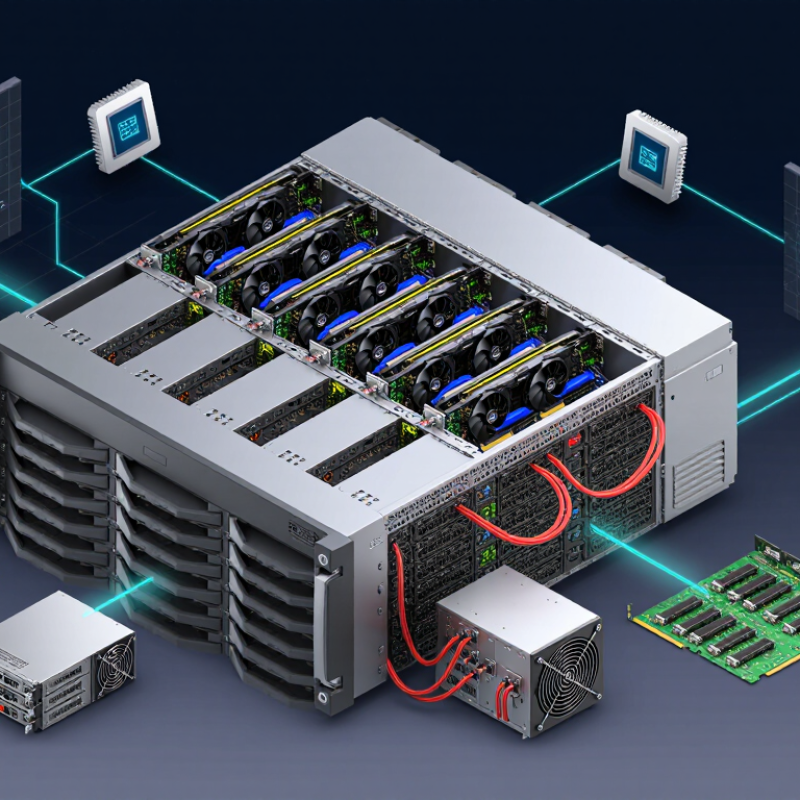
The system uses a 2U chassis built around two processor sockets and a high-bandwidth PCIe Gen5 foundation. Depending on the selected processor generation, memory configuration, and workload, it can support up to 32 DDR5 DIMMs. That gives administrators room to balance compute capacity with memory-heavy applications. Check the exact configuration before planning a deployment; available speeds and capacities can vary.
GPU layout is the defining architectural choice. The platform can be configured for up to four double-width accelerators, with airflow and power delivery designed for sustained compute loads. It also provides PCIe expansion and front-accessible storage options, so teams can combine accelerator workloads with local data capacity. Cooling matters here. A tightly packed chassis can run warm, and rack airflow needs to be considered alongside GPU selection. The practical trade-off is density: more acceleration in limited rack space, but less room for casual changes after installation. Review the riser, power, and drive options together, not as isolated specifications. Configuration details matter.
2U GPU Server Architecture: Core Configuration Limits
Maximum component counts for a supported configuration. Actual limits depend on processor and system configuration.
The chart compares component counts, not compute performance or memory capacity.
GPU Acceleration and Supported Workloads
GPU acceleration shifts demanding work from general-purpose processors to parallel compute units. In a properly configured 2U system, this can shorten model training, batch inference, scientific simulation, and image-rendering jobs. Small tasks may see little gain. That matters. The benefit depends on accelerator memory, host memory, storage speed, and compatible software working together. For example, feeding image batches from fast local storage can keep accelerators busy instead of waiting for data.
Workload fit should guide configuration. AI teams may prioritize accelerator memory and high-bandwidth networking; simulation users often need strong double-precision performance and reliable data movement. Rendering pipelines benefit when scenes and textures fit available memory. Check framework support, driver versions, power limits, and cooling before deployment. Peak benchmark numbers do not guarantee steady production speed. A practical test uses a real model or dataset, measures end-to-end throughput, and tracks temperatures during a sustained run. GPUs are not magic. They can add tuning work, and some jobs remain CPU-bound. That is easy to overlook. A pilot run is worth the effort.
Why Choose a GPU-Accelerated 2U Server? — GPU Acceleration and Supported Workloads | Dimension | Capability | Supported Workloads and Practical Notes |
| Chassis and deployment | 2U rack-mount platform; GPU capacity depends on the selected configuration. | Suitable for data-center deployments that need accelerator capacity in a standard rack footprint. Check rack depth, power delivery, cooling, and rail compatibility before installation. |
| GPU acceleration | Supports up to four double-width GPUs in supported configurations. | Parallel workloads such as deep-learning training, scientific computing, and GPU-rendered graphics can benefit when the application is written to use compatible accelerators. |
| AI and machine learning | GPU compute can accelerate supported tensor and neural-network operations. | Use cases include model training, fine-tuning, inference, and computer-vision pipelines. Actual performance depends on the accelerator, model, software framework, and data pipeline. |
| High-performance computing | Combines general-purpose CPU processing with parallel GPU computation. | Can serve simulation, numerical analysis, and other GPU-enabled scientific workloads. Confirm that the application supports the selected accelerator and required compute libraries. |
| Rendering and visualization | Accelerator-based graphics processing is available with compatible GPU and software configurations. | Relevant to 3D rendering, visual effects, and graphics-intensive virtual workstations. GPU memory, driver support, and application licensing can affect capacity and performance. |
| Virtualization and sharing | GPU sharing or virtualization is subject to the capabilities of the selected GPUs, hypervisor, drivers, and software licenses. | May support consolidated accelerator-backed services or virtual workstations when the complete software stack is validated for the intended use. |
| Configuration planning | GPU count and type influence power, cooling, available expansion slots, and system configuration. | Choose components around workload requirements, and verify the server’s supported configuration limits before ordering or deployment. |
| Best-fit workloads | Workloads with substantial parallel computation and compatible accelerator software. | A strong fit for GPU-enabled AI, HPC, rendering, and visualization; less beneficial for applications that are primarily serial or cannot use a GPU. |
Note: Capacity and workload performance vary by configuration, software support, and application. Confirm current platform specifications and compatibility requirements before purchase.
Memory, Storage, and High-Speed Connectivity
Memory, storage, and connectivity determine whether a GPU server can keep pace with real workloads. Generous memory capacity helps large datasets stay accessible instead of repeatedly moving between memory and storage. That matters during model training, simulation, and image processing. Still, more memory is not automatically better. Match capacity and bandwidth to the software, GPU count, and expected workload.
Storage affects how quickly data reaches the processors. Fast solid-state drives can reduce delays when loading datasets or saving checkpoints, while separate drives for operating systems and active data can simplify maintenance. Network speed matters too. High-speed Ethernet or compatible fabric links help move large files between the server and shared storage. A fast network cannot fix a poorly planned data path, though. Small details matter.
Tips: Check memory population rules, drive interface support, and network-port placement before ordering. Test a representative workload, not just a benchmark. Record temperatures and transfer rates during the test; real results can be uneven, and that is worth investigating.
Management, Security, and Reliability Features
A GPU server is easier to operate when administrators can check health, power, and temperatures from a central console. Clear alerts help staff spot a failing fan or rising inlet temperature before workloads slow down. Keep management access separate from ordinary user accounts, and review permissions regularly. Security needs routine care. Apply validated firmware updates, restrict remote access, and record configuration changes. A well-designed setup helps teams trace issues without guessing.
Tips: Test alert delivery before production use. Keep a dated update log. Small checks matter.
Reliability also depends on the room around the server. Leave clear airflow space in the rack, label network and power cables, and confirm cooling capacity under sustained GPU load. Where supported by the configuration, redundant power and cooling components can reduce disruption, but they do not replace maintenance. Review system logs after updates and during scheduled checks. One weak spot is often process, not hardware: rushed changes can leave settings undocumented. A short checklist may feel repetitive, yet it makes handovers safer and troubleshooting faster.
Deployment Requirements and Selection Considerations
A GPU server should be selected around its workload, room, and service plan—not peak accelerator count alone. Map model size, concurrent users, precision, and expected growth to memory and interconnect needs. Measure twice. Then check rack depth, rail clearance, floor loading, and circuit capacity against the chassis documentation. A dense 4U system may fit the rack but exceed its power or airflow limits.
Power and cooling need early review. The International Energy Agency’s Electricity 2024 report estimated that data centres used about 460 TWh globally in 2022; demand could exceed 1,000 TWh by 2026. That global projection does not predict one facility’s needs, but it highlights the value of power headroom. Check peak draw, redundant feeds, breaker limits, inlet temperature, and hot-aisle containment. Cooling matters. Confirm the site supports the system’s specified airflow and thermal envelope before ordering.
The Uptime Institute’s 2024 Global Data Center Survey reported a weighted average PUE of 1.56 among respondents. PUE measures facility overhead, not GPU efficiency, so assess useful workload output per kilowatt too. Verify firmware support, remote management, spare-part access, and maintenance windows with operations staff. Run representative jobs during acceptance testing; log temperatures, throttling, and power. A pilot takes time. It may still reveal overlooked details, such as cabling, noise, or cooling limits.