








How to Choose the Best Cloud Intercom System?
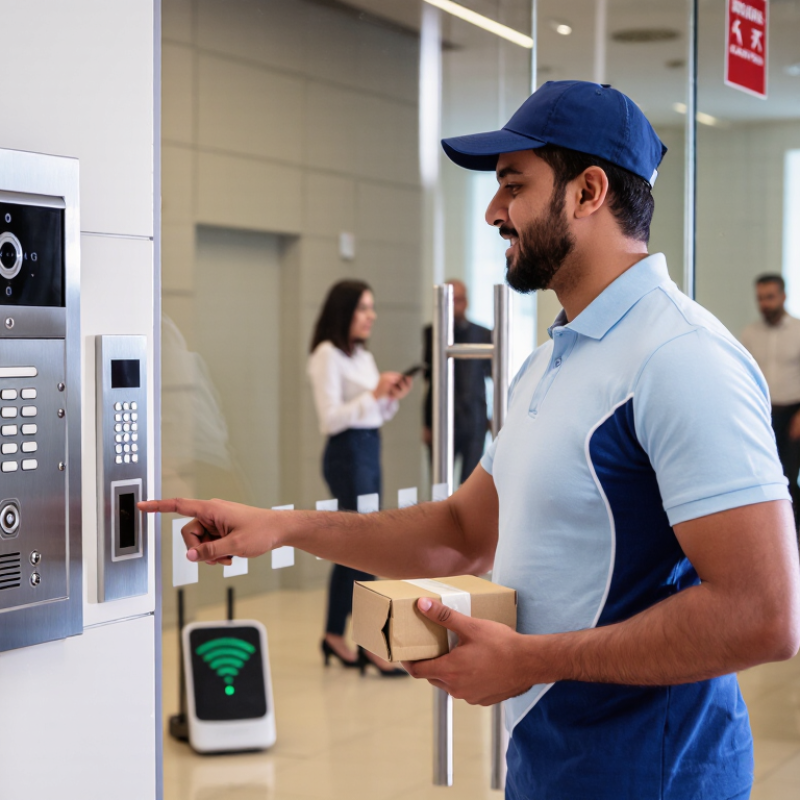
Choosing the best Cloud Intercom system is not just a search for a clean app or a low monthly price. It affects how visitors reach staff, how teams respond, and what happens when the internet slows. A delivery driver waiting at a side entrance needs a clear answer, not a spinning screen. Small details matter. Audio clarity, mobile access, video quality, and dependable backup options all shape the daily experience. Yet feature lists rarely show how a system behaves during a busy Monday morning.
Amazon CTO Werner Vogels is known for the cloud-engineering reminder, “Everything fails, all the time.” It is not a statement about intercoms specifically, but it is a useful lens for evaluating any cloud-based service. Ask what happens during a Wi-Fi outage, whether access settings are easy to review, and how quickly a provider answers support requests. Also check compatibility with existing entry hardware, privacy controls, installation needs, and recurring fees. Test it yourself. A polished demonstration may hide awkward workflows, and a cheaper plan may omit a feature your team depends on. The right choice should fit the building, staff, and visitors—not merely look impressive in a product comparison. This guide examines the practical criteria, trade-offs, and questions that help buyers make a more informed decision. There may be no perfect system. The goal is one that performs reliably where it matters.
Identify Site Needs and User Requirements
Start with the site, not the feature list. Map every entrance, gate, reception desk, and staff-only door. Note outdoor exposure, background noise, visitor peaks, and existing cabling. Test network strength at each call point, including basements and loading areas. A cloud service still depends on local connectivity. Test it live. Record what happens during an internet outage: can staff use an approved backup calling route?
Next, define who answers calls and what each person needs. Reception may need a clear visitor video; facilities teams may need door-by-door permissions and call logs. Flexera’s 2024 State of the Cloud Report found that 89% of surveyed organizations used a multi-cloud strategy. That makes compatibility with existing systems and clear administrative controls worth checking. Verizon’s 2024 Data Breach Investigations Report found that 68% of breaches involved a non-malicious human element. Simple sign-in and role-based access can help reduce avoidable mistakes.
Run realistic trials before choosing a system. Ask a receptionist to handle a delivery during a busy period, then test call quality from a noisy entrance. Check whether staff can adjust permissions without specialist help. Measure unanswered calls, connection delays, and the steps visitors must follow. A tidy checklist can still miss an awkward doorway or confusing screen. Pay attention to those details.
FAQS
Map every entrance, including lobby doors, loading bays, and staff-only doors. Note outdoor exposure, background noise, visitor peaks, and existing cabling. Test each call point. Basements matter too.
Place live calls from every location, including basements and loading areas. Simulate an internet outage and confirm staff have an approved backup calling route. A coverage map alone is not enough.
Look for clear video, two-way audio, mobile answering, and searchable access logs. Test them during a busy shift, not just in a quiet demo. A polished demo can mislead.
Check encryption, role-based permissions, multi-factor authentication, and video-retention rules. Ask who can retrieve recordings and how long they remain available. Limit access. Train staff.
Ask about uptime commitments, backup power, offline entry procedures, and incident response times. Check published service performance, not promises alone. Plans can fail.
Have reception handle a delivery during a busy period. Ask facilities staff to change a door permission without specialist help. Watch for confusing screens and missed calls.
Confirm compatibility with existing access-control, property-management, and visitor systems. Test the actual workflow before signing. A listed integration may still feel awkward.
Record unanswered calls, connection delays, and the steps visitors follow at each entrance. Compare results at a busy lobby and a noisy outdoor door. Revisit the checklist; it may miss an awkward doorway.